
.png)
On June 2, we hosted our Year-End Bonanza to celebrate the launch of Instructional Leader Intelligence: a set of capabilities designed to make the work of instructional leadership easier, so leaders can spend less time on documentation and more time being present with teachers. Everything we covered is below.
Bonus: Jump to 31:37 in the video for Ideas Worth Stealing from other KickUp districts!
KickUp now supports the full observation-feedback cycle in KickUp Growth and Foundations. Before you walk in, a briefing panel surfaces prior observations, coaching history, and focus areas for that teacher. During the session, you capture timestamped notes and KickUp's AI suggests framework alignment as you type. After you submit, KickUp generates a summary and a feedback message ready to share with the teacher.
Note: The pre-session briefing and post-session assisted form response are coming to Foundations and Growth this summer.
Help article: District Admin Setup & Scripting for Evaluators/Observers/Coaches
Access: Live in your site. Configurable on each evaluation, walks, and coaching step. Your CSM can help you tune defaults.
.gif)
An AI-generated summary on each staff profile that pulls recent walks, coaching, and observations and surfaces clear next steps. Summaries are scoped to each viewer's permissions, so two leaders looking at the same profile may see different things. The prompt describes what happened—it doesn't evaluate it. Next steps come directly from goals and forms you already use; PD feedback is excluded entirely.
Help article: Profile Page Summaries
Access: Live in your site.
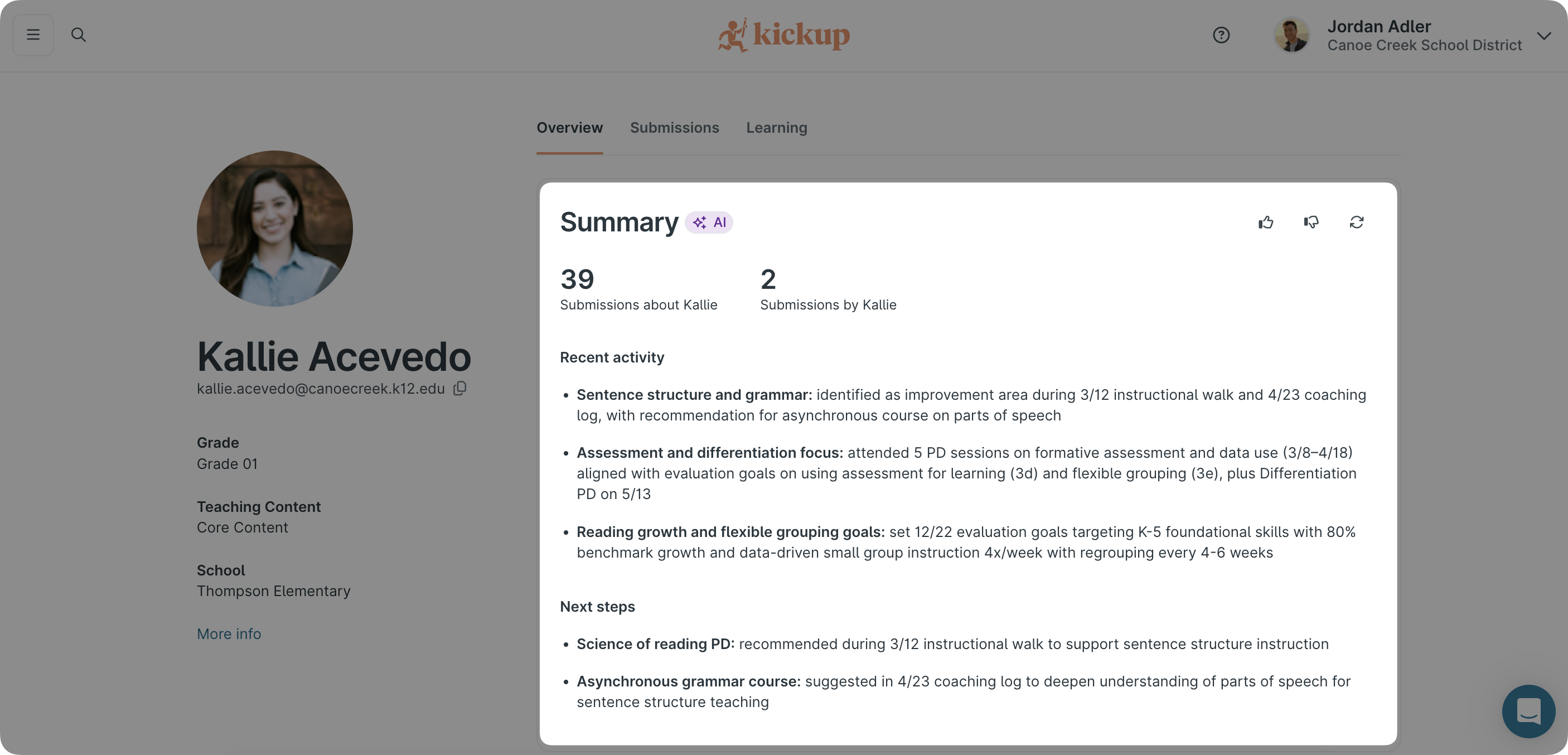
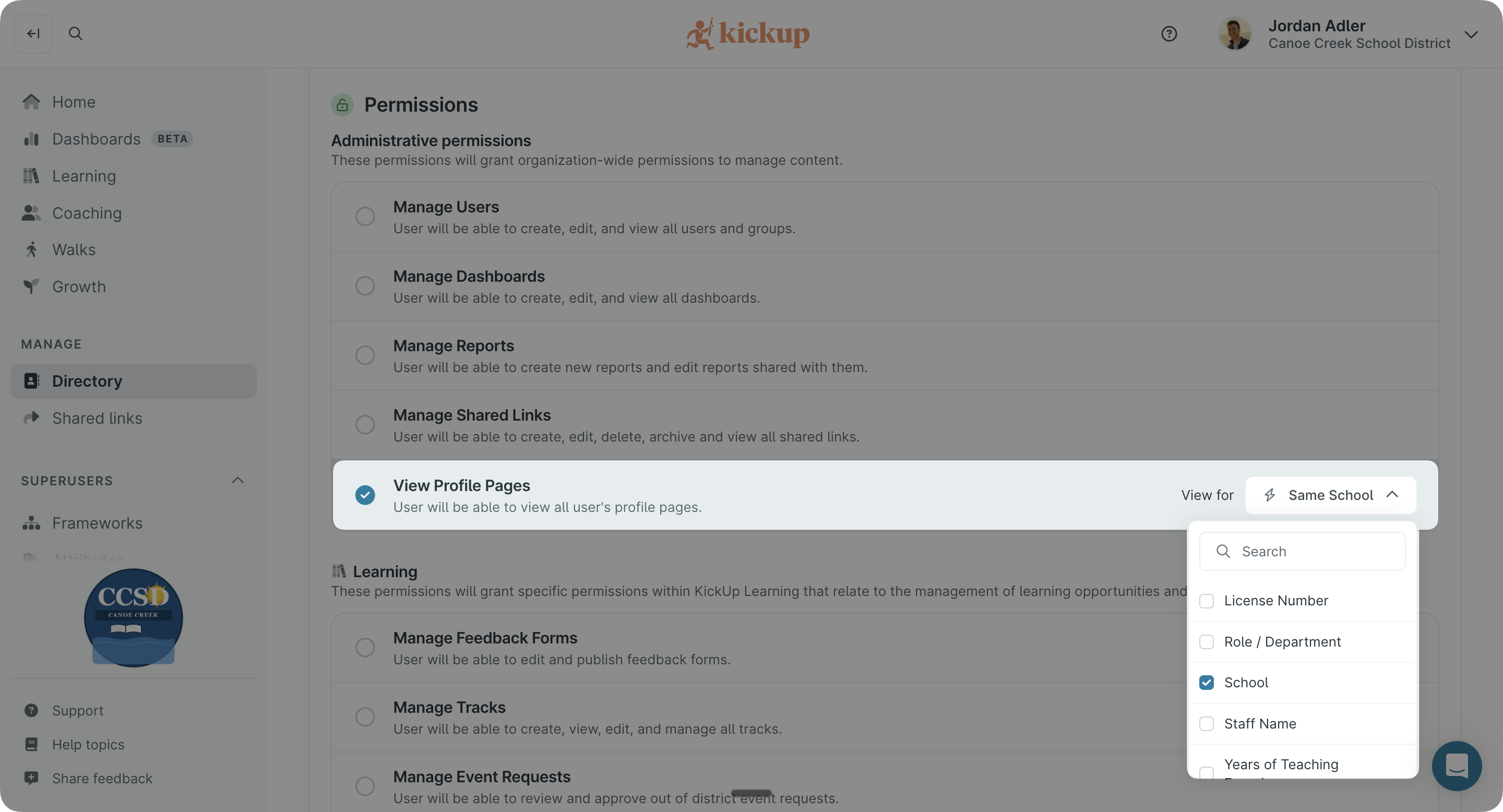
District admins can give KickUp groups access to staff profiles — scoped to their assigned attribute (building, role, or other). For example, Building A sees Building A, not Building C. Admins can also hide specific questions from profile pages and coaching activity feeds.
Help article: Profile Access Permissions
Access: Live in your site.
In addition to the AI Summary, the staff profile is getting other upgrades, coming soon: recent observations, last coaching interaction, and development trends on one page instead of spread across tabs and reports.
Access: AI Summaries are live in beta now. Additional improvements arrive between June and back-to-school. No action needed.
.png)
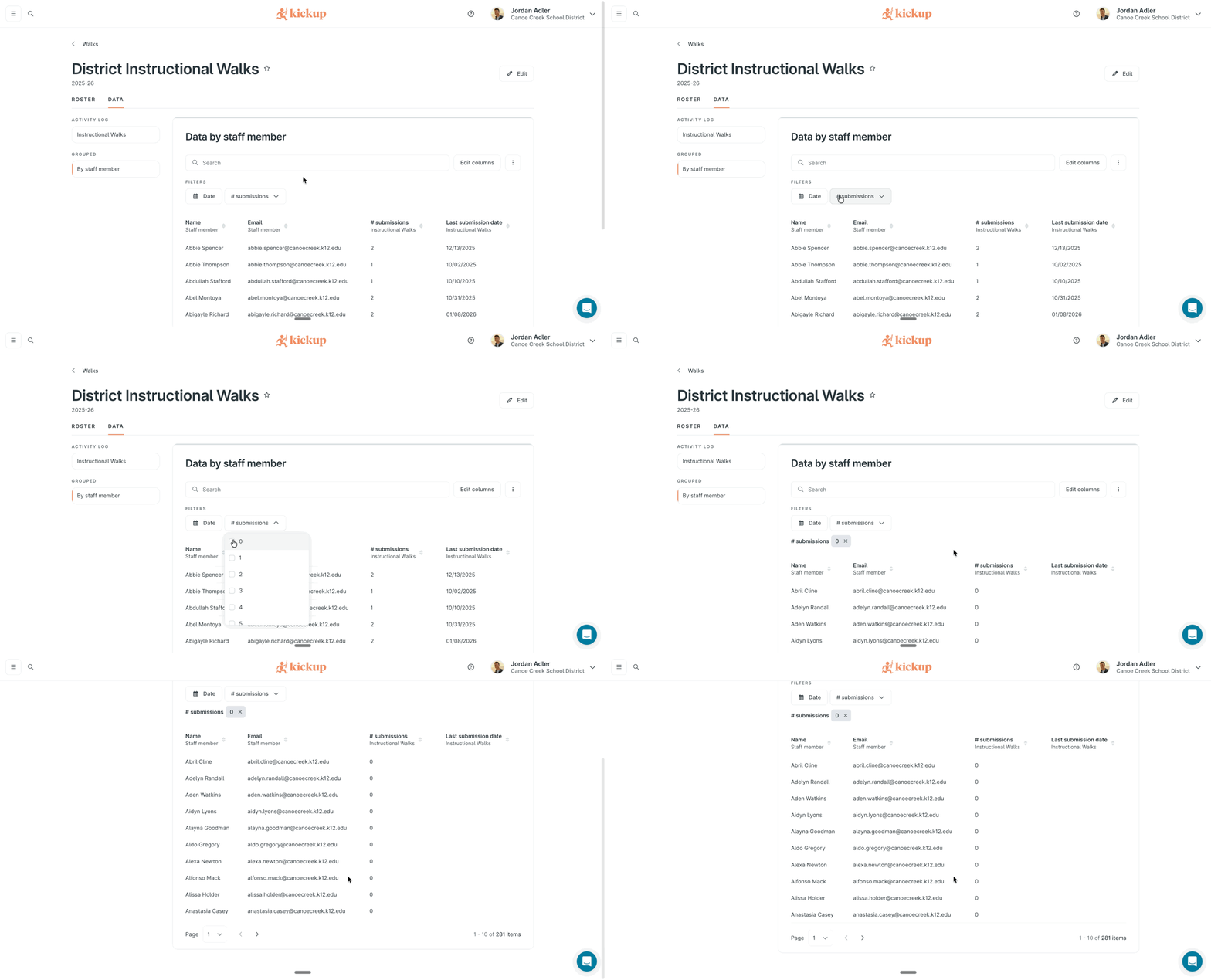
The "who haven't I observed yet?" question, answered in-product. Coaches and walk leads see a by-staff-member table with zero-count staff, last submission timestamps, and latest responses on standard questions with, no exporting required.
Help article: Staff Activity Overview in Coaching and Walks
Access: Live in your site. No configuration needed.
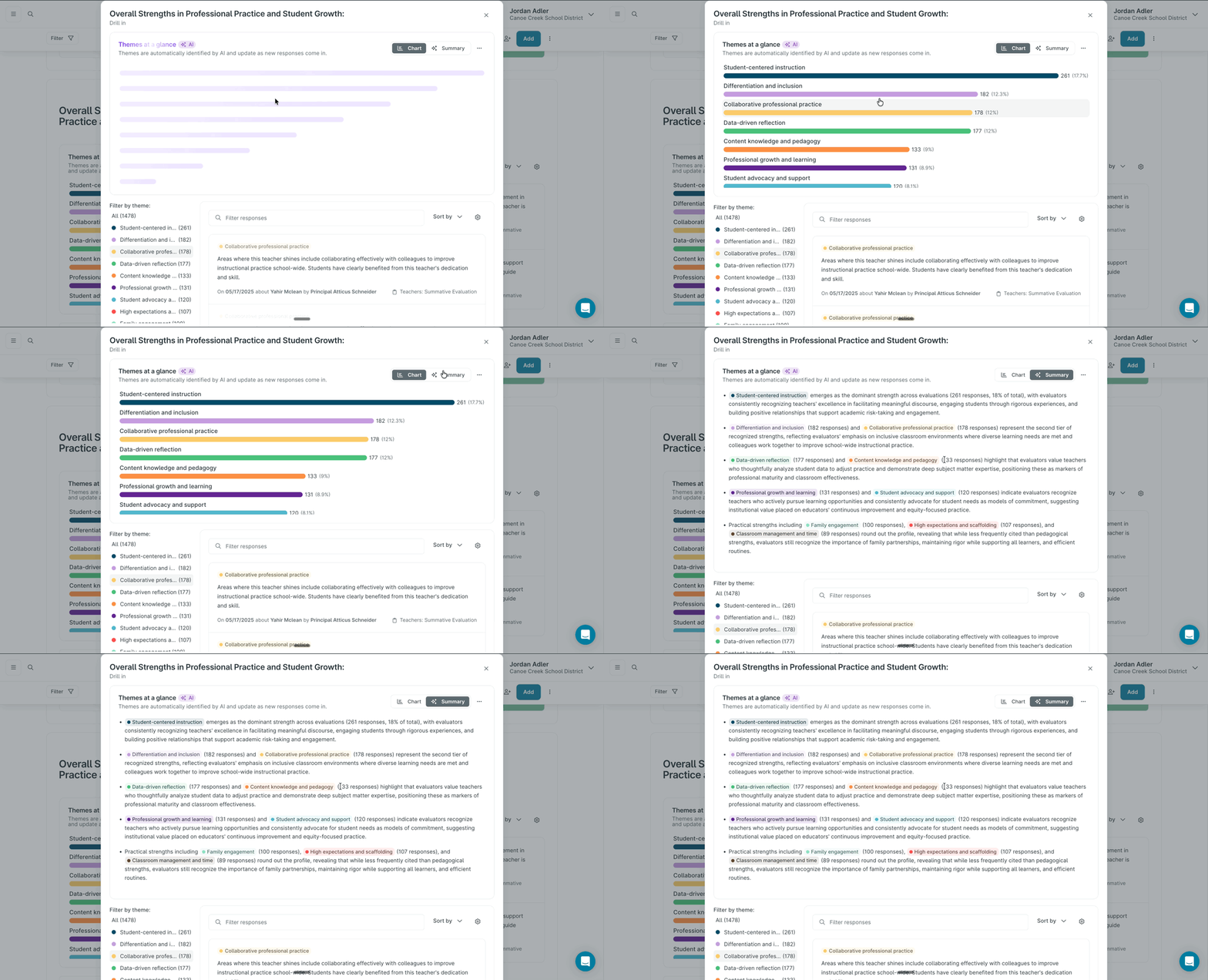
When you collect open-response data—coaching log reflections, walkthrough comments, PD feedback—KickUp's AI groups responses into emergent themes and renders a narrative summary on toggle. Themes regenerate as new responses come in. Available anywhere you have an open-response data view: instances, dashboards, and the PD feedback tab.
Access: Rolling out this summer. Your CSM will confirm the timing for your district.
KickUp is continuing to build new capabilities through the end of 2026. Here's what's on the horizon. Your CSM will keep you updated as ship dates get closer.
Schedule a demo with one of our friendly team members.

.png)