
KickUp Coaching and Walks help you see who’s being coached, what’s showing up in classrooms, and whether it’s making a difference.






"KickUp gave us the structure and flexibility to meet every school where they are. Before, we were building PD around gut feelings. Now, we're building it around real-time data from classrooms."

Districts trade in their scattered trackers to make instructional support visible, right alongside professional learning and evaluation data.


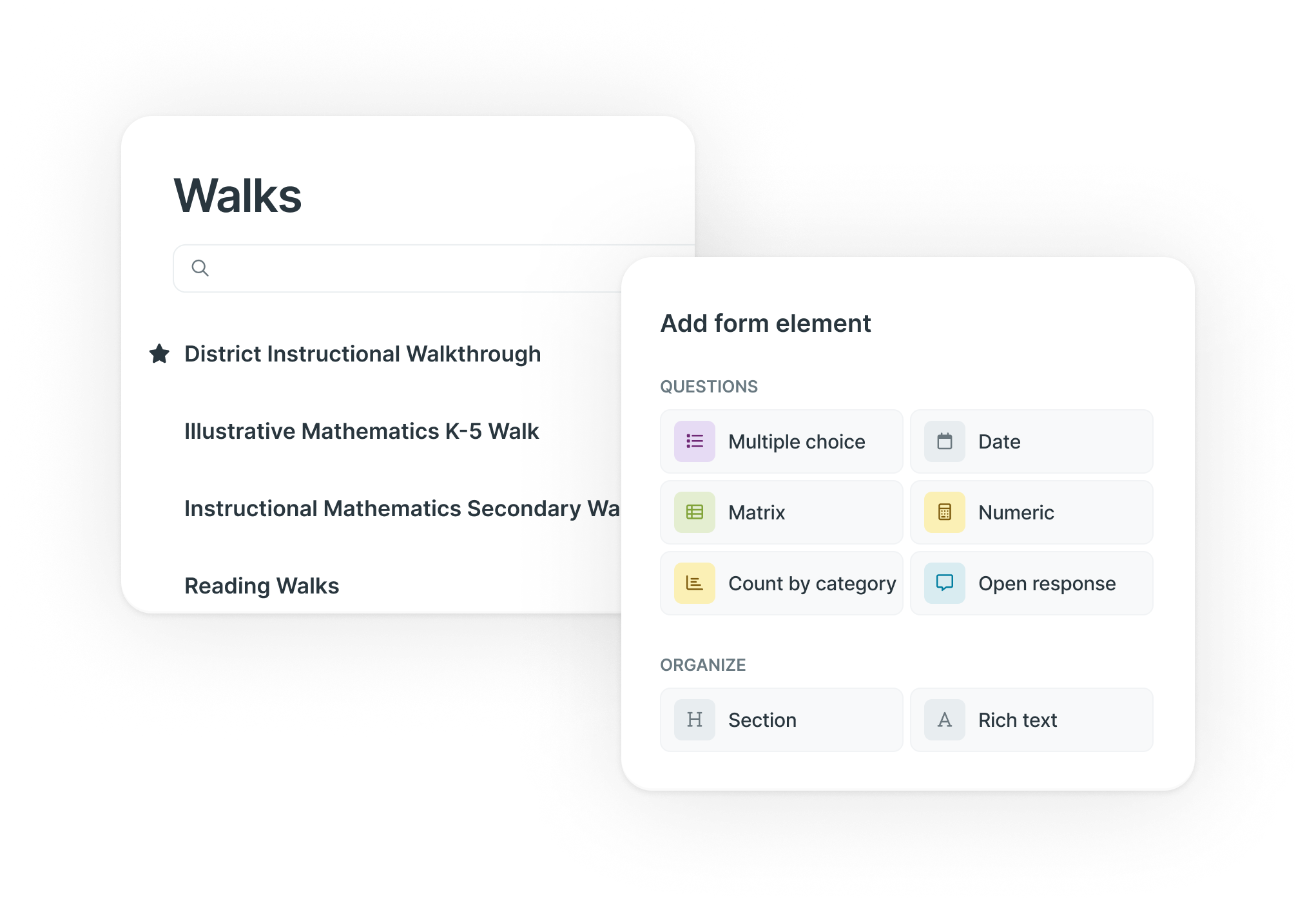
Build flexible forms around what your district cares about— Danielson, Get Better Faster, content-specific look-fors, or your own framework.
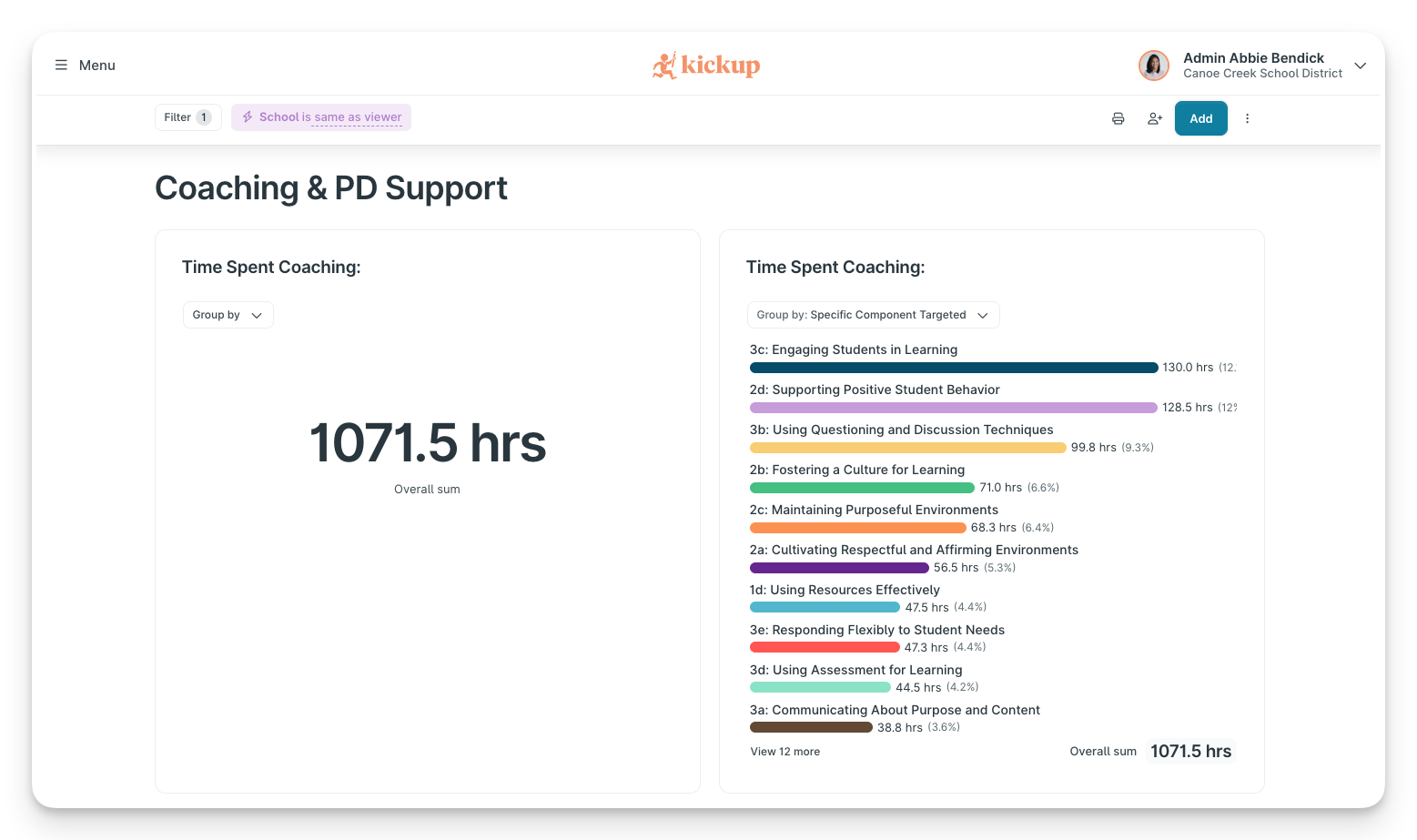
Create coaching logs and structured coaching cycles that align to those same focus areas—so you can see whether classroom support is hitting the mark.
Step in already oriented: before the session starts, you'll have a summary of your prior visits with that educator, so you're never starting cold. Type timestamped notes as you go, and you'll walk away with a session summary and the evidence that matters, ready to drop into your form. If your district uses a framework, you'll also get suggested tags and speaker labels as you type. You review everything before it's final.
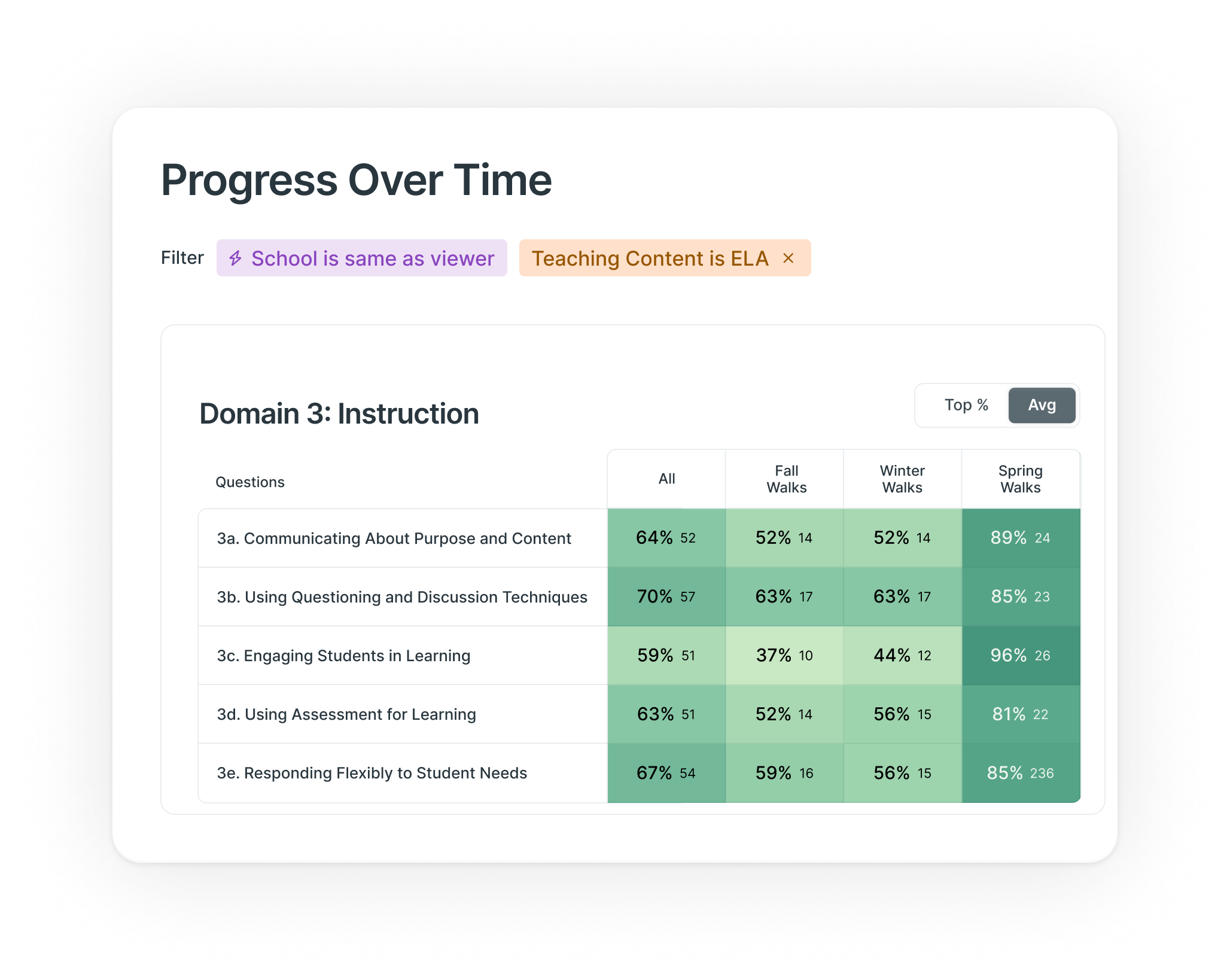
Real-time dashboards show you exactly:
Filter by school, coach, focus area, or coaching cycle to spot patterns and gaps. You get the answer directly from the dashboard instead of asking someone to pull it.

Coaching and Walks are two connected tools that live inside your KickUp platform. Walks let school leaders capture classroom observations on any device, aligned to whatever framework your district uses. Coaching lets instructional coaches log sessions, track goals, and run structured coaching cycles. Together, they give you one clear picture of the support happening in your classrooms.
Because KickUp was built as a single, unified platform, there's one data model connecting every piece. Coaching, walkthroughs, mentorship, PL, and evaluations all show up together on educator profile pages and district dashboards, so you can see, for example, whether a teacher getting coaching support is also completing related PL, without pulling data from separate systems yourself.
You're not locked in. Build walkthrough forms and coaching cycles around Danielson, Get Better Faster, a content-specific look-for list, or any framework your district built in-house. Forms and cycles are fully customizable, and your team can update them without an IT ticket.
AI Scripting takes the write-up work off your plate. Before a coaching session or walkthrough, you'll have a quick summary of prior visits waiting for you; by the end, you'll have a session summary ready to go, so finishing the form takes minutes instead of an evening. If your district has a framework configured, you'll also see suggested tags and speaker labels as you type. You review everything before it's final, so it never scores or makes judgment calls on your behalf.
You control it. Flexible, role-based permissions let coaches keep private reflections private while still surfacing the information district and school leaders need — so coaches get a system that supports their work, not one that feels like surveillance.
Scattered forms and spreadsheets make it hard to see patterns or prove impact. With KickUp, nothing gets lost to a missed save, dashboards update in real time so you can filter by school, coach, or focus area, and data reaches the right people automatically. You get the answer directly from the dashboard instead of asking someone to pull it.
.svg)